🍎
macOS
Native support for macOS
macOS_v1.0.0
Getting Started
Welcome to OffDrop for macOS! Follow these steps to get started: Documentation
Installation and Setup
To install and use follow these steps:
- Download the latest release from github
- Run the Installer.
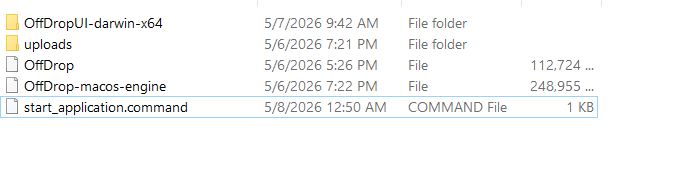
- Go to the downloads directory then unzip the folder.
- Run the application from the unzipped folder.
Running the Application
To successfully start using the application, follow these steps:
- Open a command terminal and type chmod +x followed by start_application.command file.
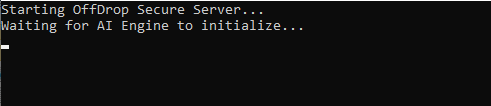
- Then double click the start_application.command file.
- Wait for it to Initialize..
- Once initialized, the application will be ready for use.

System Requirements
- • macOS 11 (Big Sur) or later
- • Intel Core i5 or Apple Silicon (M1+)
- • 4GB RAM minimum
- • 500MB available disk space
- • Administrator rights for installation